
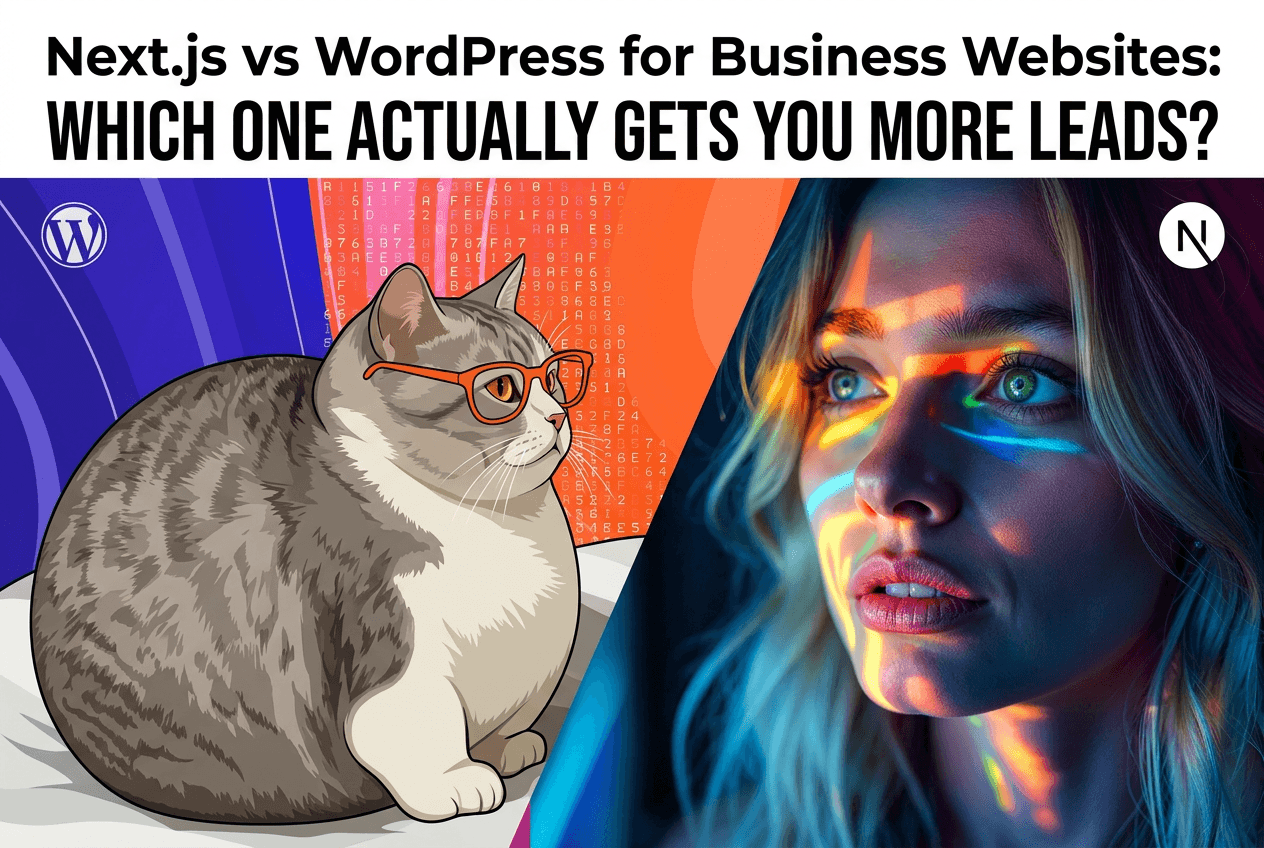
Updated
In this article (6 sections)
If you’re a local business owner and your website isn’t bringing in calls or inquiries, you don’t really care which tech stack is “cooler.” You care about one thing:
“Which website platform is going to help me get more leads and customers… without turning into a nightmare to manage?”
Two of the most common options you’ll hear from developers and agencies are WordPress and Next.js.
- WordPress has been around forever, powers a huge chunk of the internet, and has plugins for almost everything.
- Next.js is a modern, performance-focused framework used by a lot of fast, high-converting sites.
In this guide, we’ll break down Next.js vs WordPress in simple, business-owner language, focusing on what actually matters:
- Lead generation
- SEO
- Speed & performance
- Cost & maintenance
- How easy it is to work with day-to-day
And at the end, I’ll show you how we at rankmehi.com approach this decision with our clients across the US (especially California & Washington DC, including Los Angeles), and how you can get a free website & SEO audit to see which option makes sense for you.
What Are WordPress and Next.js (in Plain English)?
What is WordPress?
WordPress is a content management system (CMS).
Think of it as:
- A “pre-built” website engine
- With a dashboard where you can log in, add pages, upload images, write blog posts
- Extendable with themes (designs) and plugins (extra functionality: forms, SEO, etc.)
You can launch a site on WordPress relatively quickly, especially using templates and plugins.
What is Next.js?
Next.js is a web development framework built on React (a popular front-end library).
Plain English version:
- It’s not a “ready-made” system like WordPress.
- It’s a developer toolkit for building very fast, modern websites and web apps.
- It’s great for:
- Performance (fast load times)
- SEO (when set up correctly)
- Custom experiences (no “template” feel)
With Next.js, you normally pair it with a headless CMS (e.g., Sanity, Contentful, Strapi) so you still get an easy-to-use content dashboard.
The Real Question: Which One Helps You Get More Leads?
Let’s look at the factors that actually affect lead generation.
1. Speed & Performance
Speed matters. A slow site = people bounce before they ever read your offer or fill out a form.
- Every extra second of load time can cost you conversions.
- Google also cares about speed (Core Web Vitals), which impacts SEO.
WordPress:
- Can be fast, but:
- Many themes are bloated.
- Too many plugins slow things down.
- Cheap/shared hosting often makes it worse.
- You can improve it with:
- Good hosting
- Caching plugins
- Image optimization
- But out-of-the-box, many WordPress sites for local businesses are sluggish.
Next.js:
- Built for performance from the ground up:
- Server-side rendering and static generation
- Built-in image optimization
- Code-splitting (only loads what’s needed)
- Typically much easier to get sub-2-second load times and great Core Web Vitals when properly built.
Lead impact:
- Faster sites keep visitors on the page.
- Visitors read more, trust you more, and are more likely to contact you.
✅ Advantage for performance & long-term conversion: Next.js (WordPress can be fast, but it takes discipline and good setup.)
2. SEO & Local Search
If you’re targeting California, Washington DC, Los Angeles, or other US cities, SEO is crucial. You want to show up when someone searches:
- “plumber near me”
- “divorce lawyer Los Angeles”
- “SEO agency in Washington DC”
WordPress:
- Long track record with SEO.
- Plugins like Yoast or RankMath make on-page SEO simpler:
- Title tags
- Meta descriptions
- Sitemaps
- Basic schema
- Many themes are not SEO-optimized by default and need cleaning up (bloated code, layout issues).
Next.js:
- Technically excellent for SEO when built by someone who knows what they’re doing:
- Clean HTML.
- Control over meta tags and structured data.
- Very fast, which Google loves.
- No “SEO plugin”—everything is implemented with custom logic and components.
- Usually paired with a headless CMS for easier content work (so your team can still manage pages and blog posts).
For local SEO, both systems require:
- Correct site structure (service pages, location pages)
- Clear NAP (Name, Address, Phone)
- Google Business Profile optimization
- Local content and backlink strategy
These are strategy issues, not platform issues.
✅ Advantage for straightforward, plugin-based SEO setup: WordPress ✅ Advantage for technical SEO + performance at scale: Next.js
For a local business owner, either platform can rank well if the strategy is correct. The main difference is:
- WordPress: Faster to set up basic SEO with plugins.
- Next.js: Better for performance and scalability, but needs a proper developer/agency.
3. Design Flexibility & User Experience
The look and feel of your website—the layout, messaging, forms, and mobile experience—plays a massive role in your lead generation.
WordPress:
- Thousands of themes.
- Drag-and-drop builders (Elementor, Divi, etc.).
- Pro:
- Quick to get something looking “pretty.”
- Con:
- Many WordPress sites look generic.
- Builders can add extra bloat (slower performance).
- Harder to get truly custom, fast, and clean without an experienced dev.
Next.js:
- Essentially unlimited design flexibility.
- Everything is custom-built with components.
- Pro:
- You’re not fighting against a theme or builder.
- Easier to create unique, conversion-focused flows.
- Great for web apps, booking flows, dashboards.
- Con:
- Needs a developer/agency (like rankmehi.com) to implement.
From a lead generation standpoint:
- The platform matters less than:
- A clear message (who you serve, what you do, what result you create).
- Strong calls-to-action.
- Trust elements (reviews, case studies, guarantees).
- Mobile-first design (most local traffic is on phones).
✅ Advantage for quick, templated designs: WordPress ✅ Advantage for tailored, optimized UX & funnels: Next.js
4. Day-to-Day Management
You don’t want to open your website dashboard and feel like you’re reading alien code. Let’s talk about managing content.
WordPress:
- You log in at
yourwebsite.com/wp-admin. - You can:
- Add/edit pages.
- Write blog posts.
- Install plugins.
- For many small businesses, this is enough.
Downside:
- Easy to break things by:
- Installing bad or conflicting plugins.
- Updating themes/plugins without backups.
- Security needs ongoing care (updates, security plugins, good hosting).
Next.js:
- Typically paired with a headless CMS:
- Example: Sanity, Contentful, Strapi.
- You log in to the CMS dashboard (similar to WordPress editor), but the front-end is built separately in Next.js.
- Pros:
- Clean, focused editing experience.
- Less risk of “plugin chaos.”
- Cons:
- Requires proper setup by developers.
From your perspective as a business owner:
- Both can feel simple to update if set up properly.
- The main difference is who controls the complexity:
- WordPress: complexity sits inside the same system you log into.
- Next.js + CMS: complexity sits in the code; you just see a clean editor.
5. Cost, Maintenance, and Long-Term Ownership
This is where many business owners get burned.
WordPress:
- Initial cost can be lower, especially with templates.
- Ongoing:
- Hosting ($10–$50/month depending on quality).
- Premium plugins/themes (annual fees).
- Occasional developer time to fix issues, update, or clean up.
If badly managed:
- Over time, site slows down.
- Plugin conflicts and security issues increase.
- You end up paying more to “fix” than to build right.
Next.js:
- Initial build cost is usually higher, because it’s custom development.
- Ongoing:
- Hosting (often on platforms like Vercel) can be very efficient.
- Less dependency on random plugins.
- Updates are more controlled (code versioning, clear deployments).
If well-architected:
- Easier to scale, add features, and keep performance high.
- You avoid “start from scratch every 3 years” syndrome.
Think of it like this:
- WordPress = buying a decent car and modding it with lots of aftermarket parts.
- Next.js = getting a custom-built vehicle designed for your specific routes and loads.
Both can get you from A to B. The difference shows when you:
- Add more passengers (traffic)
- Carry heavier loads (features, integrations)
- Need reliability (no breakdowns during ad campaigns or busy seasons)
When WordPress Makes Sense for a Business Website
WordPress is often the right choice if:
- You need to launch quickly on a tight budget.
- Your site is relatively simple:
- Home, About, Services, Contact, a few blogs.
- You’re okay with:
- Using a solid, lightweight premium theme.
- Accepting some limitations in performance and uniqueness.
- You want:
- A familiar CMS with lots of tutorials and plugins.
Ideal use cases:
- New local businesses testing their first real online presence.
- Simple brochure-style sites where:
- Most leads come from referrals.
- Website is supportive, not the main conversion machine.
At rankmehi.com, we still recommend WordPress in some cases—but we’re very strict about theme & plugin discipline and performance.
When Next.js is the Better Investment
Next.js is usually the better long-term play if:
- Your website is (or should be) a serious lead engine.
- You care about:
- Top-tier performance
- Clean code
- Strong SEO foundations
- You plan to:
- Scale content, locations, or services.
- Add more advanced features (dashboards, portals, integrations).
- You’re tired of:
- Fighting WordPress bloat.
- Paying for redesigns that still load slowly.
- Patchwork solutions from “plugin stacking.”
Ideal use cases:
- Established local businesses ready to invest in a serious digital presence:
- Lawyers, medical practices, home services, multi-location businesses.
- Service businesses across California, Washington DC, and major cities like Los Angeles competing in tougher markets.
- Agencies/consultants using their site as a major lead source.
- Businesses planning to run significant SEO + ad campaigns:
- When traffic goes up, your site needs to hold up.
At rankmehi.com, we often recommend Next.js + a headless CMS when:
- Performance, SEO and long-term flexibility are priorities.
- The business wants a site that can grow without being rebuilt every 2–3 years.
How We Decide for Clients at rankmehi.com
We don’t start with “We love Next.js, so you must use it,” or “WordPress is easier for us, so that’s the answer.”
We start with your situation:
- Your current traffic & leads.
- Your market (e.g., Los Angeles vs a smaller town).
- Your growth plans for the next 1–3 years.
- Your budget and appetite for investing in long-term performance.
Then we ask:
- Is your website going to be a core sales engine, or just a supporting asset?
- Do you need to scale SEO and content significantly?
- Do you need advanced performance, integrations, or custom funnels?
- If the answer is yes to most of these → we lean Next.js + headless CMS, with strong focus on web performance and local SEO.
- If the answer is no, or you’re just testing the waters → we may recommend a lean, performance-focused WordPress build with strict rules (few plugins, clean theme, speed-optimized).
Either way, our focus is the same:
“How do we turn your website into a fast, SEO-friendly, lead-generating asset instead of just an online brochure?”
Still Unsure Which One Is Right for You?
You don’t need to become a developer or read 20 more articles to make this decision.
If you’re a local or service-based business in:
- The US (with strong focus on California and Washington DC),
- Or cities like Los Angeles where competition is tough,
…your next step is simple:
Get a Free Website & SEO Audit from rankmehi.com
We’ll:
- Review your current website (WordPress, Wix, custom—doesn’t matter).
- Check your speed & performance (Core Web Vitals).
- Look at your SEO basics (structure, titles, on-page).
- Evaluate whether WordPress or Next.js makes more sense for:
- Your budget
- Your local market
- Your growth goals
You’ll get:
- A short, clear Loom video walkthrough of the issues and opportunities.
- A prioritized action list: quick wins + bigger improvements.
- Our honest recommendation on platform choice—even if that means sticking with your current setup for now.
No jargon. No pressure. Just clear insight.
👉 Ready to see what your website is really capable of?
Book a free website & SEO audit with rankmehi.com
Services mentioned in this article
RankMeHi designs and builds business websites, then makes sure they are found and convert. Start with the two pages below.
Keep reading
Why Custom Web Development in Next.js Beats Generic Templates for Local Businesses
If you’re a local business owner, you’ve probably heard some version of this: “Just grab a template, throw up a WordPress site, and you’re good to go.” You do that.You pay someone (or spend evenings yourself), you launch the site… and nothing really changes. The problem usually isn’t that you “don’t have a website.”The problem …
Read article
Website Maintenance Services: What's Included, What It Costs, and What Happens If You Skip It
What do website maintenance services include, and what should they cost? See 2026 prices, a monthly checklist, and how to choose a plan that protects leads.
Read article
Website Programming for Local Businesses: How to Build a Site That Actually Gets Leads
Local business owners hear terms like “website programming”, “Next.js”, and “WordPress” all the time. But here’s the problem: You don’t care about buzzwords.You care about calls, bookings, and leads. If your website looks “fine” but isn’t bringing in new customers consistently, it’s usually not a design problem. It’s a website programming problem: In this guide, …
Read article
Small Business Website Redesign: 12 Signs Your Site Is Costing You Leads
Your website may not look terrible. It may have your logo, a list of services, a contact page, and a few professional photos. It may even receive some traffic from Google, social media, referrals, or paid ads. But that does not necessarily mean it is helping your business grow. A website can quietly lose potential …
Read article