

In this article (12 sections)
Your crew does good work. The trucks are wrapped, the Yelp page has reviews, and most jobs still come from referrals. Then a homeowner who got your name from a neighbor looks you up, lands on a site built in 2017, and calls the contractor with the newer one instead.
That is the whole problem website design for construction company owners has to solve. A stranger with a project needs to feel safe enough to ask you for a bid. Not "look modern". Not "have a blog". Safe enough to ask.
This guide covers what a construction website needs to do that job: the pages, the proof and the quote form. It includes real numbers from quote forms on sites we built, the California license rule most contractor sites break, and what a site like this costs in 2026.
Quick answer: A construction company website wins bids with five things: one service page per type of work, a project gallery sorted by job type with real photos, your license number and insurance stated plainly, Google reviews, and a short quote form on every page that asks about the project. A 5-to-8-page site built this way costs $2,500 to $8,000 in 2026.
Want to know why your site isn't bringing bids? Send us the link. We'll check speed, mobile, license proof and the quote form, then tell you what to fix first, free. Book a free website and SEO audit.
What website design for construction company owners has to do
Two kinds of people land on a contractor's site. A homeowner with a kitchen, a roof or an ADU in mind. Or a project manager, developer or general contractor looking for a sub. They come from different places, but they ask the same three questions in the same order:
- Do they do my kind of job?
- Are they legitimate? Licensed, insured, still in business, real people?
- How do I get a price without sitting through a sales call?
Every page on the site should answer one of those questions. If a page doesn't, it's decoration.
That's why we'd rather a contractor have five pages that answer those questions than forty that don't. It's also why the fundamentals from our guide to web design for small business apply here, with one difference: in construction, "are they legitimate" carries more weight than in almost any other trade. People are about to let you into their house or onto their site with a six-figure budget.
What quote forms on real contractor sites actually produce
Most articles about contractor website design are written by people who have never seen the back end of a contractor's quote form. We have. Here is what two of them did.
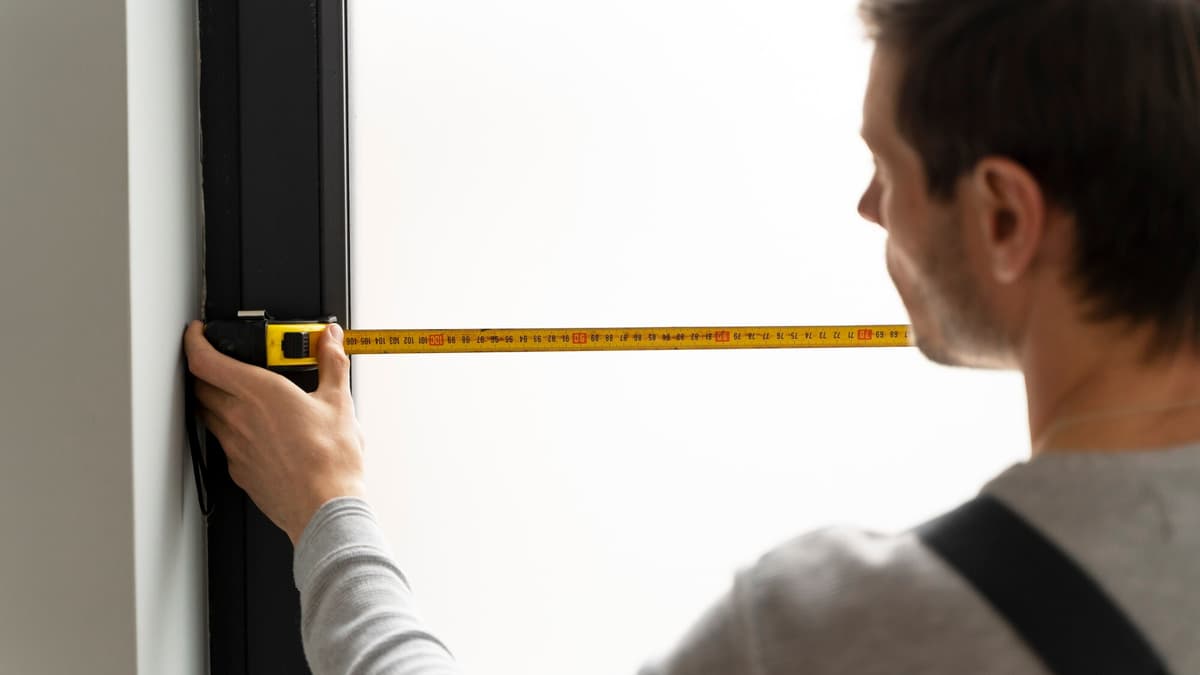
A glass and window contractor near Seattle. We built the site in late 2023 with a four-field quote form: which service, preferred date, address, and a box to describe the job. In 2024 the form brought 2 to 5 requests a month. Through 2026 it has brought 12 to 26 a month, with 291 requests in total over 34 months.
The interesting part isn't the count. It's what people write. Requests come in with exact glass dimensions, "tempered" or "annealed", the brand of the existing window, and sometimes a bulk order for 80 pieces. The form asks about the project, so people describe the project. A "Name, Email, Message" form would have produced "call me".
A collision repair shop in Santa Ana. Same approach, a quick-quote form on every page. It brought 315 quote requests in 32 months, about 10 a month. The business closed its doors this year. The website kept ranking and the form kept working: 16 requests in April, 10 in May, 9 in July, 9 in August 2026. A site built right outlives the business. We'd rather it outlive your competitors.
Our own mistake. RankMeHi's own consultation form took 35 fake submissions in five days in October 2025. No spam protection, and fields so generic that a bot could fill them. We fixed it. If your form gets "hello, I am interested in your services" three times a day, it has the same holes ours did.
"A homeowner doesn't hire the contractor with the best website. They hire the one whose website made them feel safest asking for a bid."
The pages a construction website needs
Here is the page list we start from when we do website design for construction company clients, whether that's a general contractor, a remodeler or a specialty trade. Add pages only when a real question needs one.
| Page | What it must contain | Why it wins bids |
|---|---|---|
| Home | What you build, where, license and insurance line, one clear "Get a bid" button | Answers "do they do my job" in five seconds |
| One service page per type of work | Scope, your process, typical timeline, photos of that work, a short FAQ, the quote form | Ranks for "kitchen remodel Irvine", not just your company name |
| Projects | Sorted by job type, with before and after photos, the city, and one sentence about the problem you solved | Proof you've done this exact thing nearby |
| About | Real photos of the crew, years in business, license number, insurance, memberships | Answers "are they legitimate" |
| Reviews | Pulled from Google, dated, with replies | Third-party proof beats anything you write about yourself |
| Service area | Cities you cover and how fast you can be on site | Stops out-of-area requests and helps local rankings |
| Get a bid | Short project form, phone number, hours, what happens after they submit | The page that pays for the site |
Notice what's not on the list. No "Mission and Vision". No stock photo carousel. No blog, unless you'll actually write it. Good web design services will push back when you ask for those, because every extra page is one more place for a visitor to wander off.
The license rule most California contractor websites break
If you're licensed in California, your website is advertising, and the Contractors State License Board treats it that way. State law requires your license number in all advertising, and the CSLB's advertising requirements list websites specifically.
We check this on every contractor site we audit, and it's missing more often than not. Usually the number is on a PDF somewhere, or on the About page in 11-point gray text.
Here's what we do instead:
- Put the license number in the footer of every page, in the same size as your phone number.
- Repeat it on the About page next to your insurance statement.
- Link it to the CSLB license check so a visitor can verify it in one click. Almost nobody clicks. Everybody notices you offered.
- State general liability and workers' comp plainly. "Licensed, bonded and insured" is a slogan. "CSLB #123456, $2M general liability, workers' comp on every crew member" is proof.
Outside California, most state boards have a similar rule. Check yours before the site goes live, not after a complaint.
Construction website examples: what the best sites share
Rather than send you to look at fifty sites, here's what the best construction websites do that average ones don't. These are the elements we borrow when we build one.
| Element | Average construction site | Best construction websites |
|---|---|---|
| Hero image | Stock photo of a hard hat on blueprints | Your crew on a real job, with the city named |
| Project pages | A grid of 200 unlabeled photos | 12 to 20 projects, each with the problem, what you did, the timeline and the city |
| Process | Not mentioned | Five steps from site visit to final walk-through, with what the customer does at each one |
| Pricing | "Contact us for a quote" | Typical ranges by job type, and what changes the number |
| License and insurance | Buried or missing | In the footer, on About, linked to the state board |
| Quote form | Name, email, message | Service type, address, timeline, project description, photo upload |
| Phone number | In the footer | Click-to-call in the header on mobile |
The two that make the biggest difference are the project pages and the pricing ranges. A homeowner comparing three contractors will pick the one who showed a similar job in a nearby city and gave them a rough idea of the number. Both take a few hours of your time and cost nothing to publish.
The quote form: the page that pays for the site
Everything else on the site exists to get a visitor to this form. It deserves more thought than it usually gets.

Ask about the project, not the person. Four to six fields is the sweet spot. What we use, in order: type of work (a dropdown), city or address, when they want to start, a description box, and an optional photo upload. Name and phone come last. Forms that lead with the project get answers you can price. Forms that lead with "Full Name" get "call me".
Put it on every service page, not just Contact. Someone reading your bathroom remodel page is ready to ask about a bathroom remodel. Make them scroll to a different page and a third of them won't.
Protect it. A honeypot field, rate limiting and an invisible check like reCAPTCHA v3 or Cloudflare Turnstile stop most bots without making a real customer solve a puzzle. We learned this the expensive way, as above.
Say what happens next. "We'll call you within one business day to schedule a site visit" turns a form into a promise. Then keep it.
Send it somewhere someone reads. We've seen quote forms emailing an address that belonged to an estimator who left two years earlier. Check the inbox before you check the design. Our guide to why your website isn't bringing you leads starts with that exact check.
If the form is getting traffic but not submissions, that's a conversion problem rather than a traffic problem, and it's the kind of thing a conversion rate optimization agency fixes with the pages you already have.
Getting "call me" messages instead of real projects? We'll rebuild your quote form and the pages around it so requests arrive with the details you need to price them. Get a free website and SEO audit.
Construction website cost in 2026
Here's what website design for construction company projects costs in 2026, and what each option is good for. For the full line-by-line breakdown, see how much it costs to build a website.
| Option | Typical cost | Fits | Watch out for |
|---|---|---|---|
| DIY builder (Wix, Squarespace) | $0 to $300 to start, $17 to $60 a month per Wix's plans | A one-person operation testing the market | Slow templates, weak local SEO, a painful move later |
| Template plus freelancer | $500 to $3,000 | A simple site with five pages | Ask to see three live contractor sites they built |
| Custom 5-to-10-page site | $2,500 to $8,000, in line with WebFX's 2026 cost guide | A contractor who wants to rank in their cities and win bids from strangers | Get the page count, the form and the license block in writing |
| Multi-city or multi-division build | $8,000 and up | Several service areas or divisions, each needing its own pages | Ongoing costs for hosting, updates and content |
The number most contractors underestimate isn't the build. It's the photos. Twenty good project photos, taken with a phone in daylight after the job is clean, are worth more than any design feature. Budget an afternoon per finished project and you'll never run out of gallery material.
A 10-point checklist before you approve a construction website
Run through these before you sign off on a design, whoever builds it.
- Does the home page say what you build and where in the first sentence?
- Is there one page per type of work you want to be hired for?
- Does every service page have the quote form on it?
- Is your license number in the footer of every page and linked to the state board?
- Are general liability and workers' comp stated in plain words?
- Does the project gallery show the job type, the city and the problem solved?
- Are the reviews real, dated and pulled from Google?
- Does the phone number click to call on a phone, from the header?
- Does the site load in under three seconds on a phone? Check it on PageSpeed Insights, and ask for custom web development if the template can't get there.
- Does the form go to an inbox someone checks daily, with spam protection turned on?
Ten yeses and you have a site that wins bids. Fewer than seven, and you're better off fixing the misses than adding features. Our list of signs your site needs a redesign covers the borderline cases.
What RankMeHi builds for contractors
We approach website design for construction company owners the way this article describes, because we've watched the forms.
- New website, from $2,490. Five pages, design included: home, two or three service pages, projects, and a get-a-bid page. Built on Next.js so it loads fast on a phone at a job site. Includes the license and insurance block, a project gallery you can update from your phone, Google reviews, a protected quote form, and business schema so Google and AI assistants describe you correctly.
- Local SEO, from $690 a month. Service pages for each city you work in, Google Business Profile work and reviews. This is how a remodeler in Costa Mesa shows up for "kitchen remodel Newport Beach". See our local SEO services and Orange County SEO pages.
- Audit and fix, from $490. If the site is two years old and mostly right, we fix the form, the license block, speed and the service pages, and leave the rest alone.
Full details are on the pricing page, and you can see the kind of sites we build in our case studies.
When you don't need us: if you're booked six months out from referrals and don't want to grow, keep the site you have. Add the license number to the footer, fix the form, and spend the money on a photographer.
Key takeaways
- Website design for construction company owners has one job: make a stranger feel safe enough to ask for a bid.
- Quote forms that ask about the project bring requests you can price. Two contractor sites we built get 10 to 26 requests a month this way.
- In California your website is advertising, so your license number belongs in the footer of every page, linked to the CSLB.
- One page per type of work, a gallery with the city and the problem solved, and real Google reviews do more than any design trend.
- A custom 5-to-10-page contractor site costs $2,500 to $8,000 in 2026. Budget an afternoon of photos per project as well.
- Protect the form and send it to an inbox someone reads. Check that before you check the colors.
FAQ
How much does a construction company website cost?
A custom construction company website with five to ten pages costs $2,500 to $8,000 in 2026. A template built by a freelancer runs $500 to $3,000, and DIY builders cost $17 to $60 a month plus your time. Multi-city or multi-division sites start around $8,000. Photos and written project descriptions are the hidden cost most contractors forget.
What pages should a construction website have?
Seven pages cover almost every contractor: home, one service page per type of work, projects, about, reviews, service area and a get-a-bid page. Each service page should carry its own quote form. Skip mission statements and stock photo galleries. Add a blog only if you'll write real project stories on it.
Do I have to show my contractor license number on my website?
In California, yes. The CSLB treats websites as advertising, and state law requires the license number in all advertising. Put it in the footer of every page and link it to the CSLB license check. Most other states have a similar rule, so check your board before launch.
What should a contractor quote form ask?
Ask about the project first: type of work, city or address, when they want to start, a description, and an optional photo. Then name and phone. Four to six fields total. Forms built this way produce requests with dimensions, materials and timelines, while "name, email, message" forms mostly produce "call me".
How do I get more bids from my construction website?
Put the quote form on every service page, show projects with the city and the problem solved, state your license and insurance plainly, and make the phone number click to call on mobile. Then build a page for each city you work in so homeowners searching "roofer Anaheim" find you. Speed matters too. A site that takes six seconds on a phone loses the bid before it loads.
Build the site that gets asked for bids
Contractors win work by being trusted, and a website is where that trust starts for anyone who didn't get your name from a friend. The pages, the proof and the form above are the whole recipe. None of it is hard. Most of it is missing from the site you have.
Ready to see what your site is costing you in bids? We'll audit it against the checklist above and send you a short list of fixes, free. Request your free website and SEO audit.
Services mentioned in this article
RankMeHi designs and builds business websites, then makes sure they are found and convert. Start with the two pages below.
Keep reading

Law Firm Web Design: What Separates a Brochure From a Case Machine
Law firm web design that signs cases: the pages, intake form and proof that convert, what we found testing six Orange County firm sites, and honest 2026 costs.
Read article
Web Design for Small Business: What Actually Brings In Calls
Web design for small business in 2026: the pages, features and proof that turn visitors into calls, real examples by industry, and honest costs.
Read article
How Much Does It Cost to Build a Website? Real 2026 Prices, Line by Line
How much does it cost to build a website in 2026? Real price ranges for DIY, freelancer and agency builds, monthly costs, and the hidden costs to plan for.
Read article
Google Business Profile Optimization: The Fields That Actually Get You Calls
Google Business Profile optimization that moves the map pack: the fields that matter, real call and direction numbers from a profile we ran, and a 30-day plan.
Read article